Now available for macOS

Your Git repos
deserve better hygiene

The native macOS toolkit that keeps your repositories clean, secure, and perfectly organized. Case-safe renames, security scanning, visual diffs, and GitHub/GitLab integration — all in one beautiful app.

One-time purchase · $2.99

GitCase — my-awesome-project
Navigation
Overview
Files
Branches
History
Analytics
Tools
Case Renames
Large Files
Security
.gitignore
Scanner
Repository Overview
● Clean main
Commits
1,847
Branches
23
Contributors
12
Open Issues
8
Commit Activity — Last 12 Weeks

Three things you'll love instantly

GitCase solves the real pain points every macOS developer faces — starting with these.

Case-Safe Renames

Rename fileName.js to FileName.js without corrupting your repo. Two-step safe rename with validation and rollback.

Zero corruption risk

Security Scanner

Detect API keys, passwords, and secrets in staged files and commit history. 14 built-in patterns with one-click remediation and history rewriting.

14+ detection patterns

GitHub & GitLab

Issues, pull requests, CI/CD status, releases, merge requests — manage your entire workflow without leaving the app.

Full integration

See it in action

Every view is crafted for clarity and speed. Here's what GitCase looks like day-to-day.
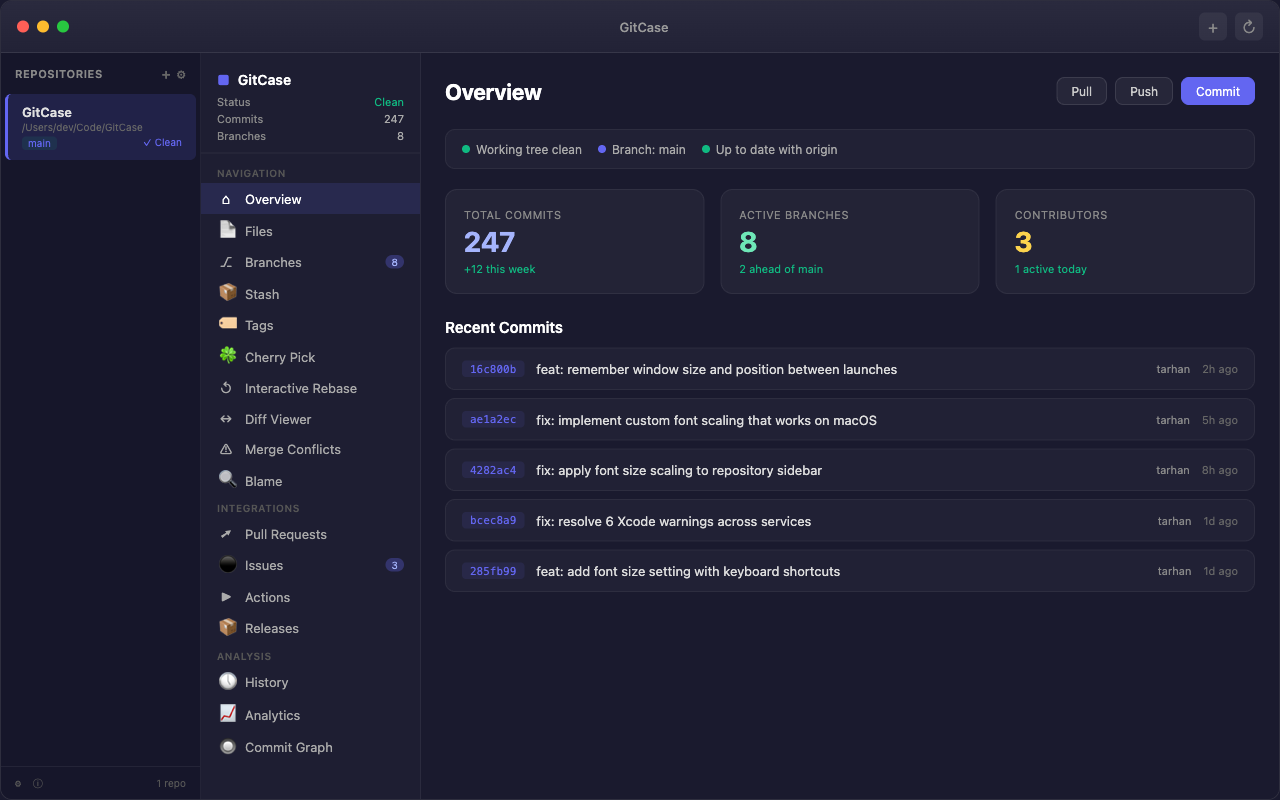
GitCase Overview - Repository dashboard with commit history, branch status, and contributor stats
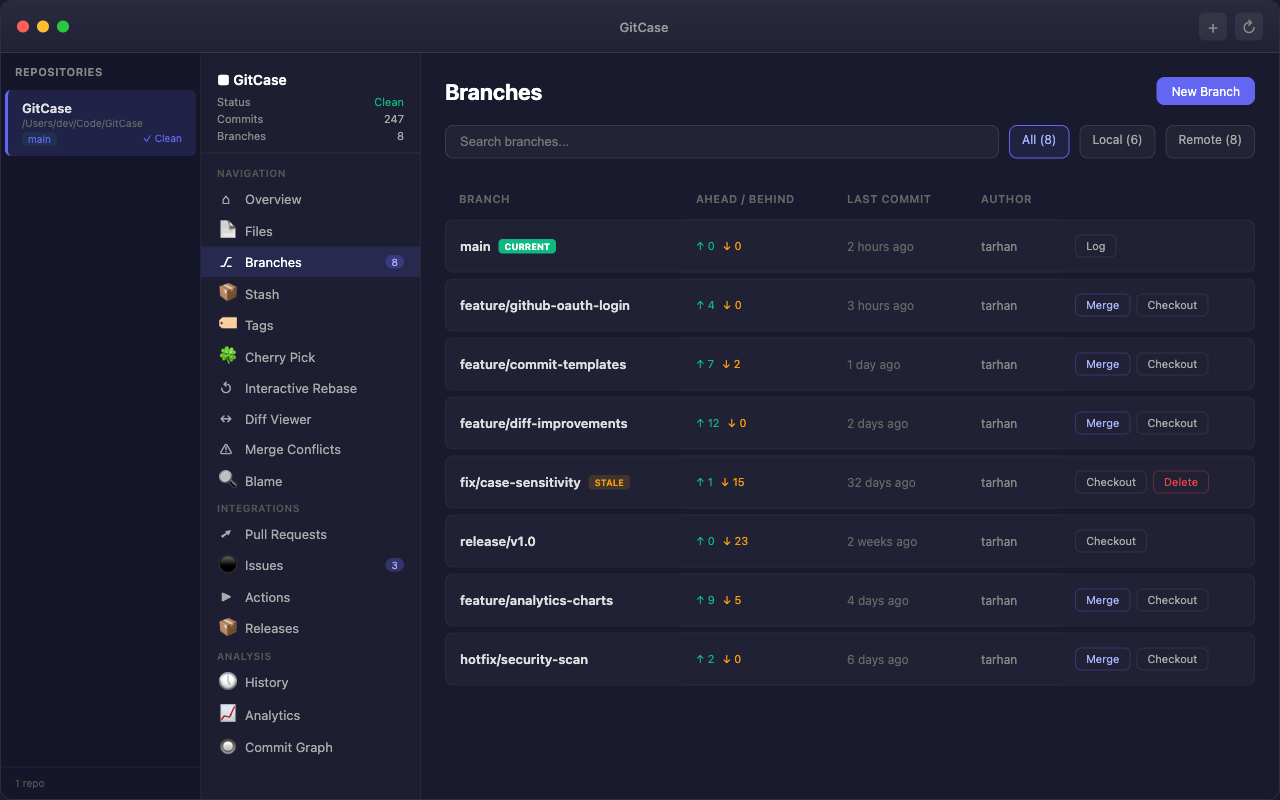
GitCase Branches - Branch manager showing ahead/behind status, stale detection, and merge actions
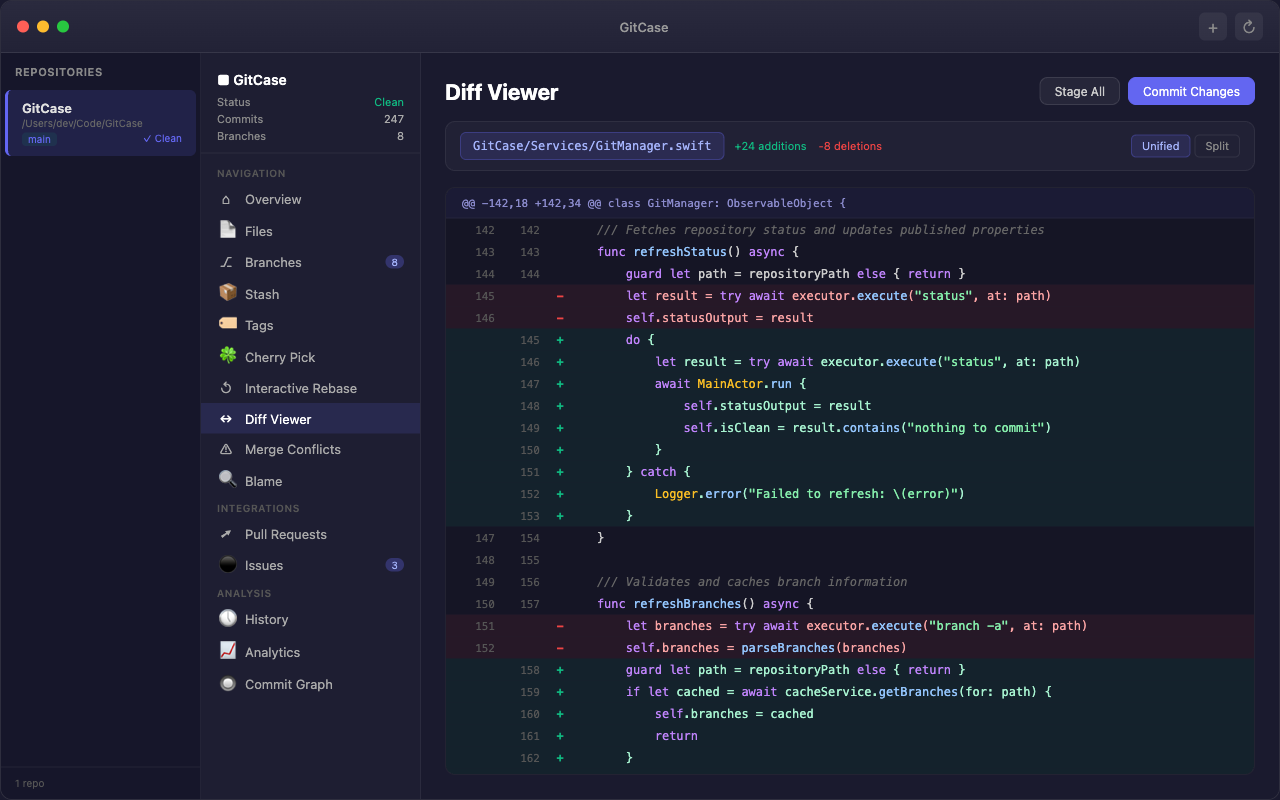
GitCase Diff Viewer - Syntax-highlighted unified diff with line numbers and code changes
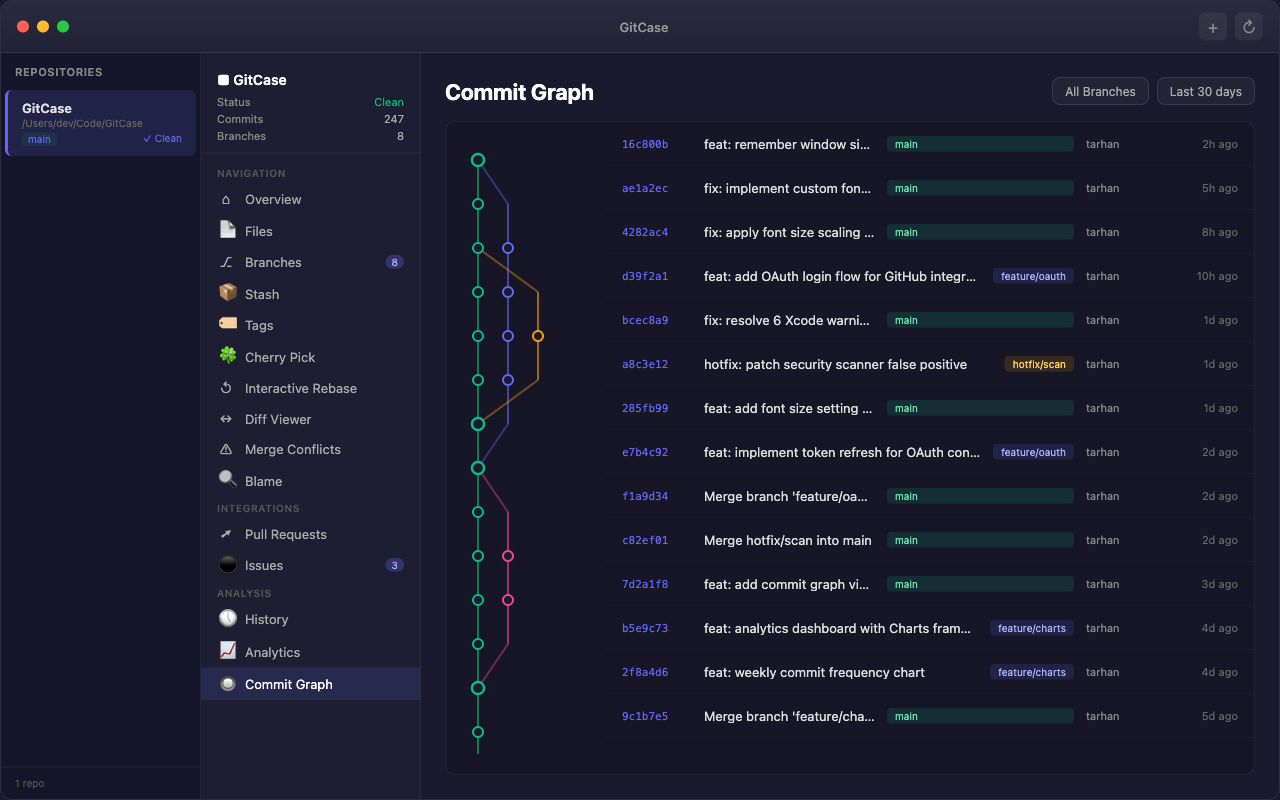
GitCase Commit Graph - Visual branch topology with color-coded commit history
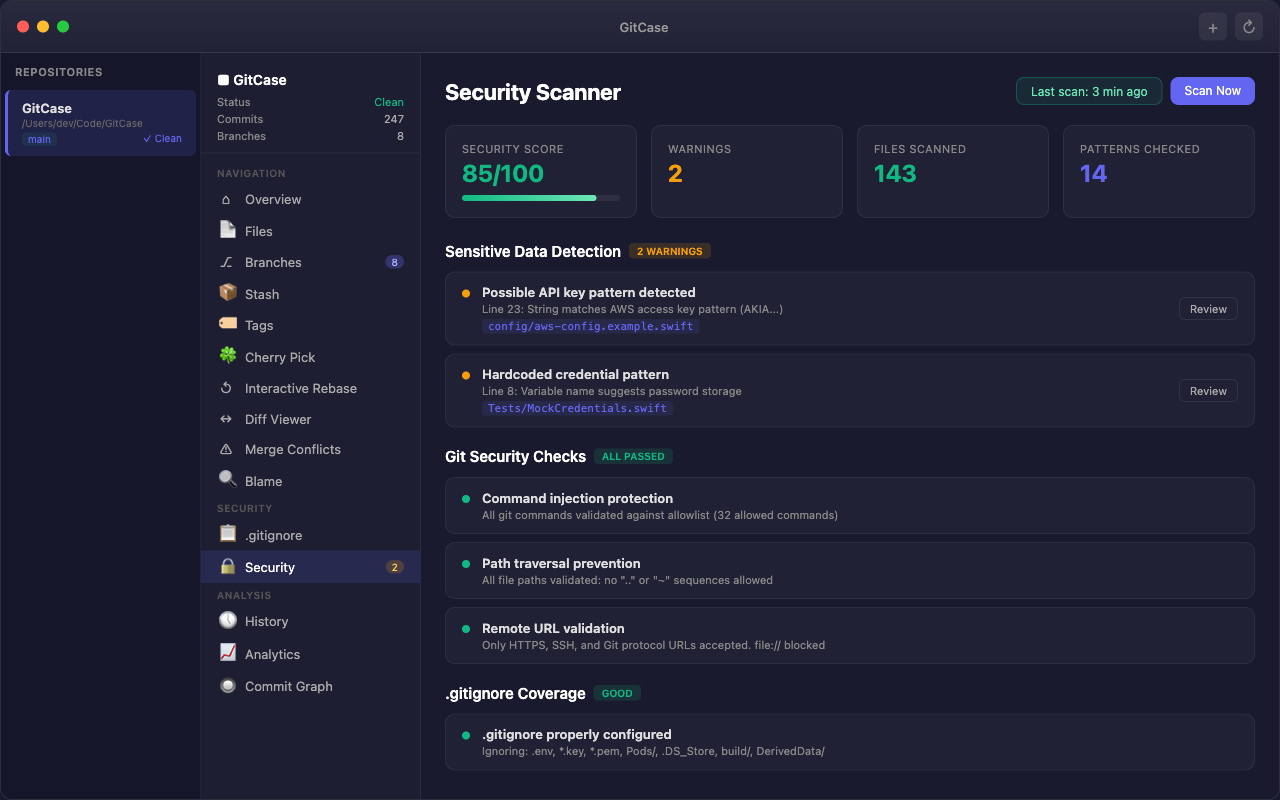
GitCase Security Scanner - Detecting API keys, credential patterns, and validating git security
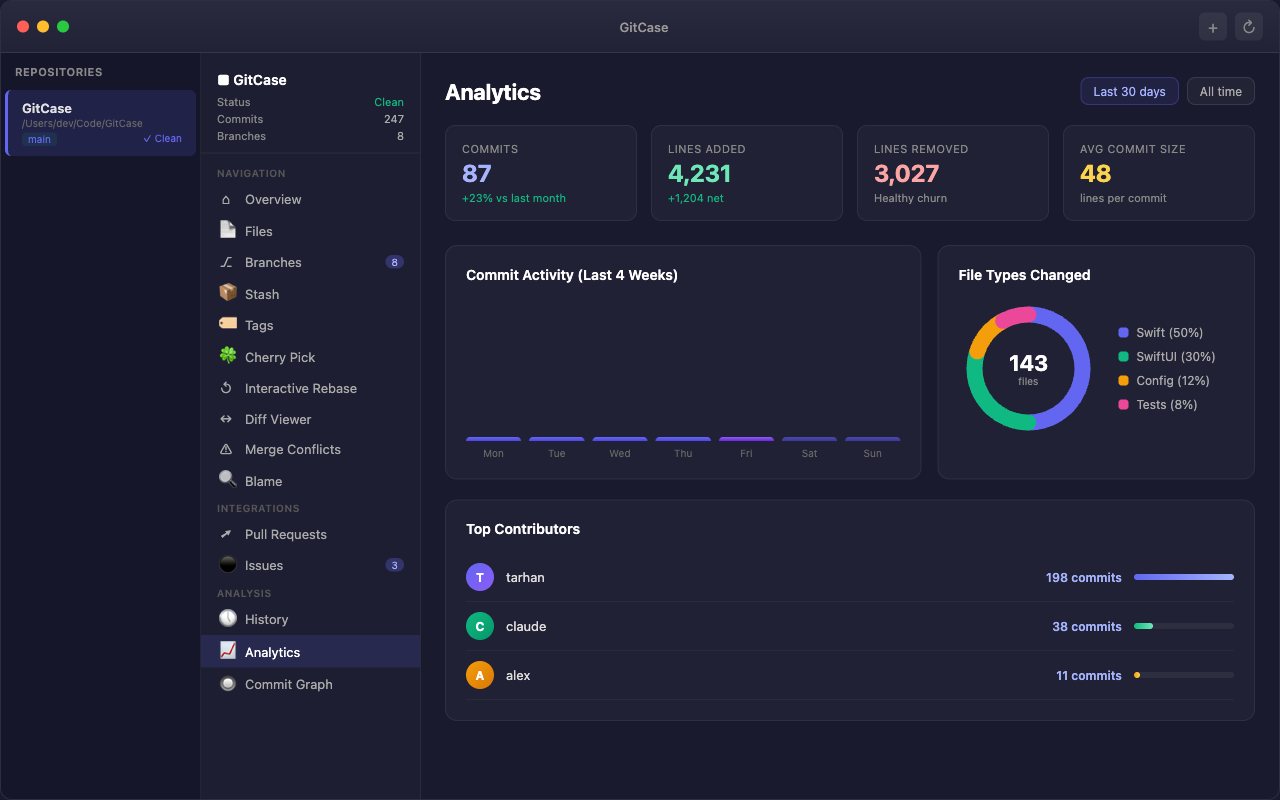
GitCase Analytics - Commit activity charts, file type breakdown, and contributor rankings

Everything you need,
nothing you don't

33 purpose-built tools organized into intuitive categories.

🧭

Navigation & Visualization

  • Repository overview with live stats
  • Interactive commit graph with colored branch lines
  • Side-by-side diff viewer with 50+ language support
  • Interactive rebase with drag-and-drop
  • Visual stash manager with preview
🛠

Tools & Automation

  • Case-sensitive rename workflow
  • Large file detection and Git LFS migration
  • Batch file operations with patterns
  • Commit message templates
  • Submodule and hooks management
🔒

Security & Hygiene

  • Sensitive data scanner (14+ patterns)
  • History-wide credential scanning
  • Visual .gitignore builder with templates
  • Stale branch detection and cleanup
  • One-click history rewriting
🌐

GitHub & GitLab

  • GitHub Issues — view, create, filter
  • GitHub Actions — CI/CD status and logs
  • GitHub Releases — create with assets
  • GitLab Merge Requests lifecycle
  • Cherry-pick between branches
📊

Analytics & Insights

  • Contributor statistics by team member
  • Commit frequency visualization
  • Code growth tracking over time
  • DORA metrics and optimization tips
  • Cross-repository comparison

Power User

  • Command palette (⌘K) with fuzzy search
  • 3-way merge conflict resolver
  • SSH key generator and manager
  • Git hooks editor (pre-commit, post-commit)
  • Multi-repo session management

Why developers choose GitCase

Built different from the ground up.

01
🍎

100% Native SwiftUI

No Electron. No web views. Pure Swift and SwiftUI means instant launch, tiny memory footprint, and a UI that feels like it belongs on your Mac.

02
🔐

Security First

Hardened runtime, command allowlisting, argument sanitization, and path validation. Every Git command is validated before execution — no shell injection possible.

03
📦

Zero Dependencies

Only Apple frameworks. No npm, no CocoaPods, no SPM packages. Minimal attack surface, maximum reliability. Runs on any Mac with macOS 14+.

One price.
Everything included.

GitCase for macOS

$2.99
One-time purchase · Free updates forever
  • All 33 tools and features
  • GitHub & GitLab integration
  • Security scanner with 14+ patterns
  • Visual diff, merge, and rebase
  • Multi-repository management
  • Command palette (⌘K)
  • Universal binary (Apple Silicon + Intel)
  • Free updates included
🖥
Platform
macOS 14.0+
⚙️
Architecture
Apple Silicon + Intel
🔧
Built With
Swift & SwiftUI
📦
Dependencies
Zero — Apple only
🔐
Security
Hardened Runtime